
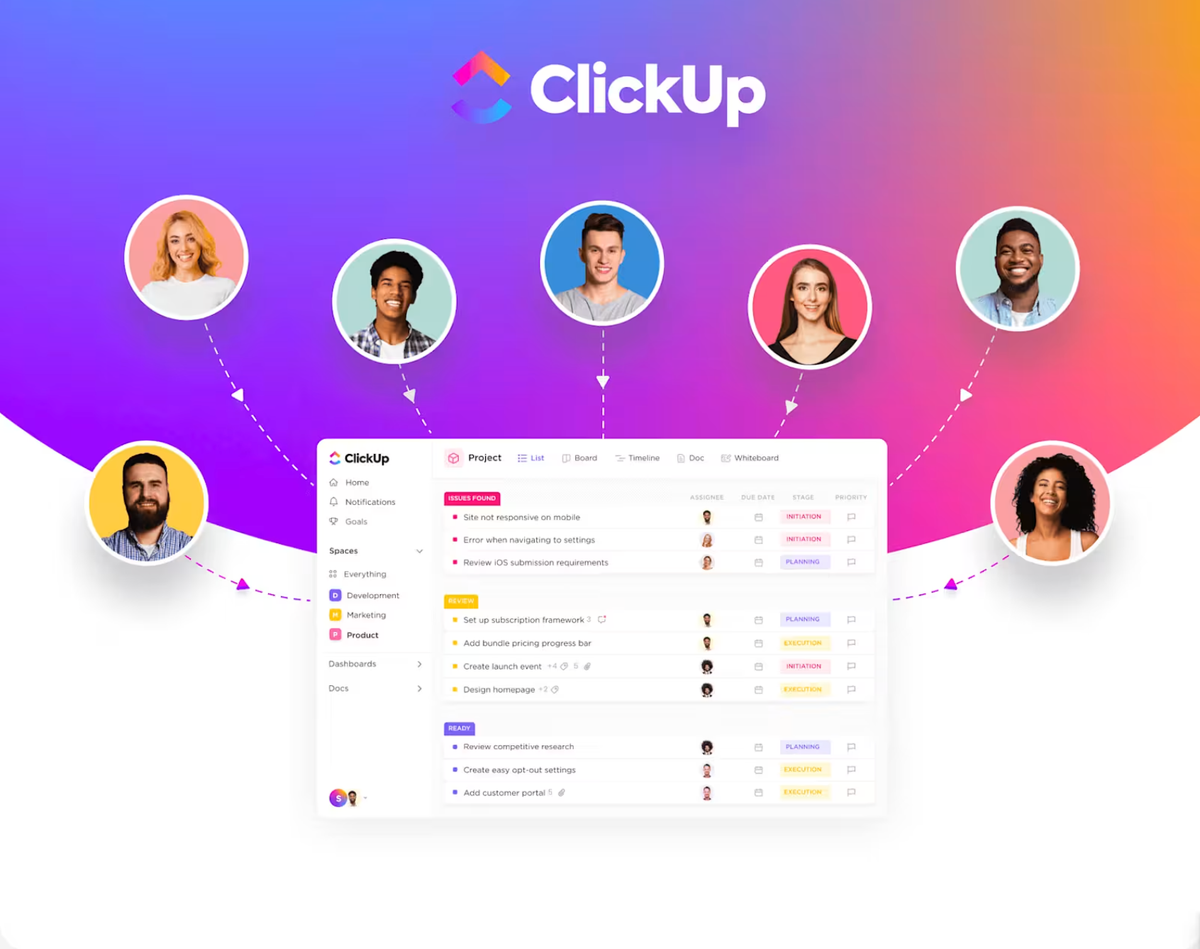
In the rapidly evolving world of productivity and collaboration, ClickUp has emerged as a game-changing platform that is reshaping the way teams work. As an all-in-one project management tool, ClickUp offers a comprehensive suite of features that seamlessly integrate tasks, documents, communication, and more – empowering businesses of all sizes to streamline their workflows and drive sustainable growth.
This in-depth guide will explore the key features, capabilities, and benefits of ClickUp, demonstrating why it has become the go-to solution for organizations seeking to optimize their productivity and collaboration in the modern business landscape.

What Sets ClickUp Apart? The “One App to Replace Them All” Advantage
At the heart of ClickUp’s value proposition is its ability to serve as the “one app to replace them all” – a unified platform that consolidates a wide range of productivity tools into a single, intuitive interface. By eliminating the need to juggle multiple applications, ClickUp simplifies the user experience, fosters greater collaboration, and ensures seamless data synchronization across your team.
This holistic approach not only enhances efficiency but also promotes cross-functional visibility, enabling teams to stay aligned, informed, and focused on their shared objectives.
Advanced Automation: Building Complex Project Workflows Without Coding Knowledge
One of the standout features of ClickUp is its robust automation capabilities, which empower users to streamline their workflows without the need for extensive coding expertise. The platform’s intuitive visual automation builder allows team members to create complex task triggers, conditional actions, and custom notifications with just a few clicks.
Whether you’re automating repetitive status updates, generating personalized reports, or triggering notifications based on specific events, ClickUp’s automation tools put the power of productivity optimization in the hands of every team member.
The Unified Dashboard: Seamlessly Integrating Tasks, Docs, Goals, and Chat
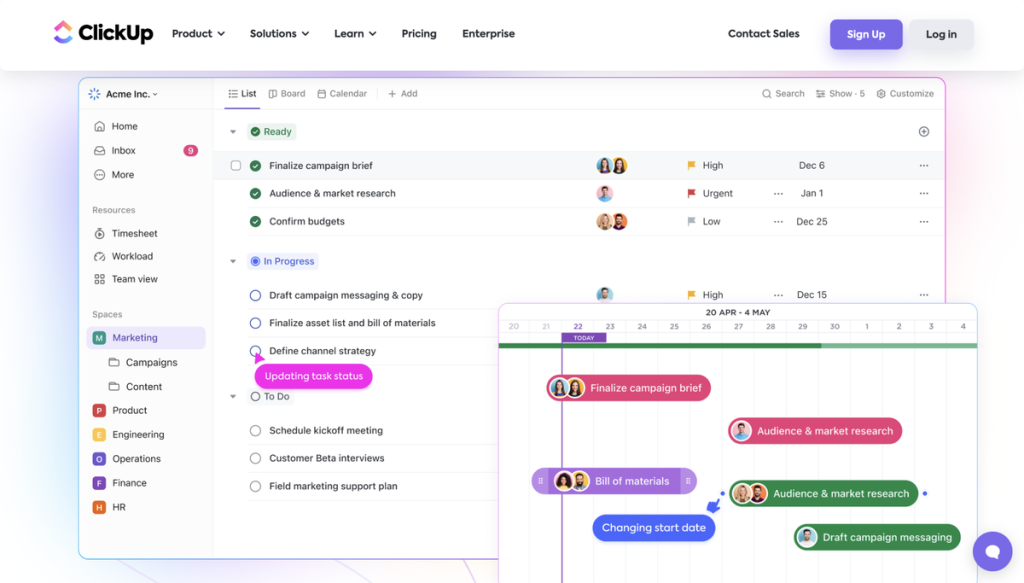
At the heart of ClickUp lies the Unified Dashboard – a centralized hub that brings together all the essential elements of team collaboration and project management. From tasks and subtasks to documents, goals, and real-time communication, the Unified Dashboard provides a comprehensive, at-a-glance view of your team’s progress, priorities, and ongoing discussions.
This holistic approach not only enhances visibility and transparency but also fosters cross-functional alignment, reducing the risk of siloed information and duplicated efforts.
Behavioral Triggers: Automating Status Changes Based on Real-Time Task Updates
Building on its advanced automation capabilities, ClickUp introduces Behavioral Triggers – a powerful feature that allows teams to automate status changes based on the real-time updates and actions taken on tasks.
For example, if a task is marked as “In Progress,” the system can automatically update the status of dependent tasks or notify relevant team members. This intelligent automation ensures that your workflows remain agile and responsive, adapting to the evolving needs of your projects.
Segmentation Mastery: How to Use Custom Fields and Folders for Team-Specific ROI
One of the key advantages of ClickUp is its unparalleled flexibility, which extends to the platform’s ability to cater to the unique needs of different teams and departments. By leveraging custom fields and folders, users can tailor the platform to their specific requirements, optimizing their workflows and data organization for maximum return on investment (ROI).
Whether you’re managing a marketing campaign, overseeing a software development project, or coordinating HR initiatives, ClickUp’s segmentation capabilities empower you to create a bespoke productivity environment that aligns with your team’s unique goals and processes.
Platform Design & UX: Testing the 2026 “ClickUp 4.0” Lightning Experience
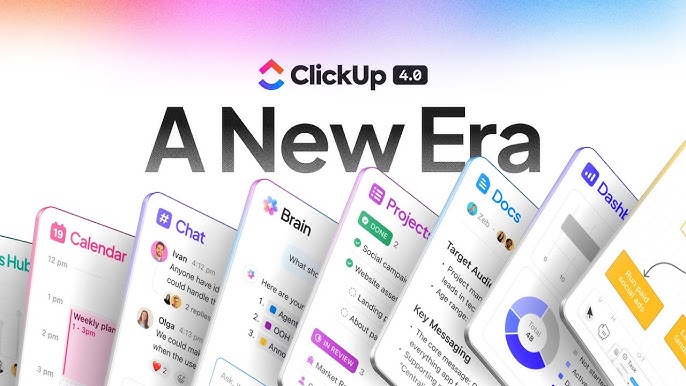
In 2026, ClickUp has unveiled a groundbreaking update to its platform, introducing the “ClickUp 4.0” Lightning Experience. This latest iteration of the software boasts a sleek, modern design and an enhanced user experience that prioritizes intuitive navigation, seamless task management, and intelligent automation.
The ClickUp 4.0 Lightning Experience has been meticulously tested and refined, ensuring that teams can seamlessly transition to the new interface and harness the platform’s full potential with minimal disruption to their existing workflows.
Experiments & A/B Testing: Optimizing Workflow Templates for Maximum Velocity
ClickUp takes a data-driven approach to continuous improvement, empowering users to experiment with different workflow templates and configurations to optimize their productivity. The platform’s A/B testing capabilities allow teams to compare the performance of various task structures, automation rules, and reporting setups, ultimately identifying the most effective solutions for their unique needs.
This iterative approach to workflow optimization ensures that ClickUp users can constantly refine their processes, driving greater efficiency and velocity across their projects and initiatives.
The Power of Personalization: Moving Beyond Basic To-Do Lists with ClickUp Brain AI
In 2026, ClickUp has taken personalization to new heights with the introduction of ClickUp Brain AI – a groundbreaking feature that leverages advanced machine learning to transform the way users interact with the platform.
ClickUp Brain AI goes beyond basic to-do lists, offering intelligent task recommendations, personalized automation triggers, and predictive analytics to help teams stay ahead of their workloads and make more informed decisions. By understanding user behavior and project context, ClickUp Brain AI becomes a trusted digital assistant, empowering teams to work smarter, not harder.
Software Integration: Connecting Slack, GitHub, and HubSpot for Automated Sync
To further enhance its “one app to replace them all” vision, ClickUp has seamlessly integrated with a wide range of popular productivity and business software tools. From Slack and GitHub to HubSpot and Trello, ClickUp allows teams to connect their existing applications, creating a centralized hub for data synchronization and cross-functional collaboration.
This robust integration ecosystem ensures that teams can maintain their preferred workflows while benefiting from the powerful capabilities of the ClickUp platform, ultimately driving greater productivity and efficiency across the organization.
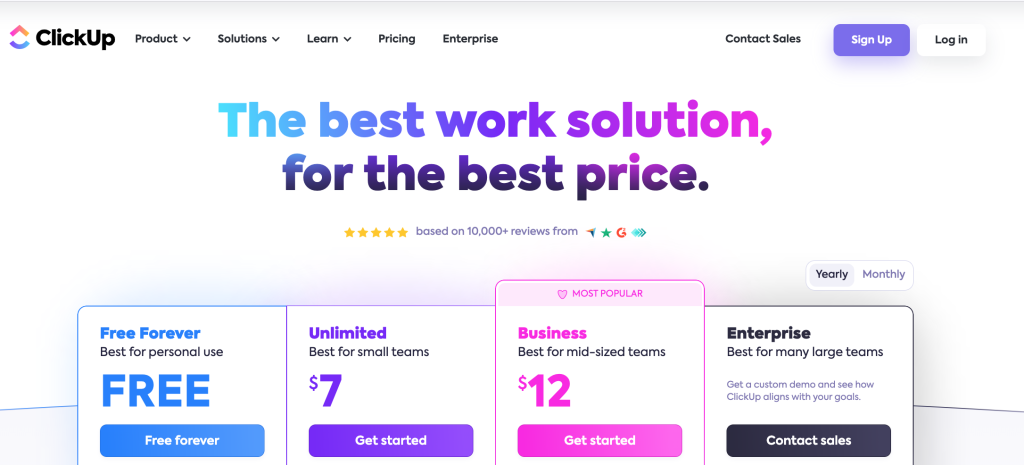
ClickUp Pricing 2026: Understanding the Value of the Free Forever vs. Business Plan
In 2026, ClickUp continues to offer a range of pricing options to accommodate businesses of all sizes, from the solo entrepreneur to the enterprise-level organization. The platform’s “Free Forever” plan provides users with a comprehensive set of features, making it an attractive option for startups and small teams.
For organizations with more advanced needs, ClickUp offers the “Business” plan, which unlocks a wealth of additional capabilities, including advanced automation, custom branding, and enterprise-grade security features. Regardless of the plan, ClickUp’s pricing remains transparent and aligned with the platform’s mission to deliver unparalleled value to its users.
Performance Benchmarks: How ClickUp Maintains 99% Uptime for Global Teams
As a mission-critical productivity tool, ClickUp has demonstrated its commitment to reliability and performance, consistently achieving an industry-leading uptime of 99% or higher. This level of stability and availability is crucial for teams operating in diverse geographical locations and time zones, ensuring that their workflows and collaboration remain uninterrupted.
ClickUp’s robust infrastructure and proactive monitoring systems enable the platform to quickly identify and address any potential issues, minimizing disruptions and maintaining a seamless user experience for its global user base.
Reporting & Analytics: Tracking Sprint Burndown and Workload Distribution
Beyond its core task management and collaboration features, ClickUp offers a comprehensive suite of reporting and analytics tools that empower teams to make data-driven decisions. From sprint burndown charts and workload distribution reports to custom dashboards and real-time project insights, ClickUp provides users with the visibility and transparency they need to optimize their workflows and drive continuous improvement.
These advanced analytics capabilities are particularly valuable for teams operating in agile or iterative environments, where the ability to track progress, identify bottlenecks, and forecast future performance is crucial for maintaining a competitive edge.
The “Flexibility” Debate: Ultimate Customization vs. Initial Setup Complexity
One of the ongoing discussions around ClickUp centers on the platform’s inherent flexibility and the tradeoffs it presents. On one hand, ClickUp’s extensive customization options and automation capabilities allow teams to tailor the platform to their unique needs, optimizing their workflows and maximizing their productivity. However, this level of flexibility can also introduce an element of initial setup complexity, as users must invest time and effort into configuring the platform to their specific requirements.
Ultimately, the “flexibility” debate comes down to the individual needs and preferences of each organization. For teams that value the ability to create a bespoke productivity environment, the initial setup time is a worthwhile investment. For those seeking a more streamlined, plug-and-play experience, ClickUp’s pre-built templates and guided onboarding process may be the more appealing option.
How to Get Started with ClickUp
Getting started with ClickUp is a straightforward process that can be tailored to the specific needs of your team or organization. The platform offers a comprehensive onboarding experience, guiding users through the setup process and providing a wealth of resources to help them maximize the platform’s capabilities.
To begin your ClickUp journey, simply visit the official website (www.clickup.com) and sign up for a free account. From there, you can explore the platform’s features, customize your workspace, and invite your team members to join. ClickUp also offers a range of tutorials, webinars, and support materials to ensure a seamless onboarding experience.
FAQs
Q1: Is ClickUp really free forever?
Yes, ClickUp offers a “Free Forever” plan that provides users with a comprehensive set of features at no cost. This plan is designed to accommodate the needs of small teams, startups, and individuals looking to optimize their productivity without a significant financial investment.
Q2: How does ClickUp’s automation capabilities work?
ClickUp’s advanced automation features allow users to create complex workflows and triggers without any coding knowledge. The platform’s intuitive visual automation builder enables teams to automate repetitive tasks, generate personalized notifications, and streamline their project management processes.
Q3: Can ClickUp integrate with other productivity tools?
Absolutely. ClickUp boasts a robust integration ecosystem, allowing users to connect their existing productivity and business software, including Slack, GitHub, HubSpot, and Trello. This seamless integration ensures data synchronization and cross-functional collaboration across your tech stack.
Q4: How customizable is the ClickUp platform?
ClickUp is renowned for its exceptional flexibility, offering users the ability to customize virtually every aspect of the platform. From custom fields and folders to personalized automation rules and workflow templates, teams can tailor ClickUp to their unique needs and processes.
Q5: Does ClickUp offer advanced reporting and analytics capabilities?
Yes, ClickUp provides a comprehensive suite of reporting and analytics tools, enabling teams to track their progress, identify bottlenecks, and make data-driven decisions. Features like sprint burndown charts, workload distribution reports, and custom dashboards empower users to optimize their workflows and drive continuous improvement.
Conclusion: Is ClickUp the Right Choice for Your Productivity Stack?
In the fast-paced, ever-evolving world of productivity and project management, ClickUp has emerged as a true powerhouse, revolutionizing the way teams collaborate, automate, and drive measurable results.
With its unparalleled flexibility, advanced automation capabilities, and seamless integration with a wide range of business tools, ClickUp is poised to become the cornerstone of your productivity stack in 2026 and beyond.
Whether you’re a solo entrepreneur, a small business owner, or part of a large enterprise, ClickUp offers a scalable solution that can transform the way you and your team work. Take the first step towards unlocking your full potential by signing up for ClickUp today and experience the power of true productivity optimization.
Leave a Reply