
The traditional office desk phone is largely a relic of the past. For modern small businesses, communication isn’t just about making a phone call; it’s about managing a constant stream of Zoom meetings, WhatsApp messages, team chats, and customer support tickets.
If you’ve been searching for a way to centralize this chaos, you’ve likely come across Nextiva. But what exactly is it, and how does it actually function in a real-world business environment? This guide breaks down the “how” and “why” of Nextiva to help you decide if it’s the right fit for your team.
What is Nextiva? Core Definitions
At its simplest, Nextiva is a cloud-based Unified Communications (UCaaS) platform.
Instead of relying on old-fashioned copper wires provided by a local phone company, Nextiva uses your internet connection to power your entire communication suite. However, in the last year, Nextiva has evolved beyond just “phones.” It is now a Customer Experience (CX) hub that uses AI to help businesses track every interaction they have with a customer—whether that’s a voice call, an email, or a social media message.
The Three Pillars of Nextiva:
- Business VoIP: Professional-grade phone service over the internet.
- Omnichannel Support: Managing SMS, Email, and Social Media in one inbox.
- NextOS: The proprietary operating system that ties your communication and customer data (CRM) together.
How Does Nextiva Work? The Technical Breakdown
You don’t need to be a software engineer to use Nextiva, but understanding the “engine under the hood” helps you realize its value.
1. VoIP Technology
Nextiva works via Voice over Internet Protocol (VoIP). When you speak into a headset or a VoIP phone, your voice is converted into digital “data packets.” These packets travel over the internet to Nextiva’s high-security data centers, which then route the call to any phone number in the world.
2. The Cloud Infrastructure
Because the “brain” of your phone system lives in the cloud, you don’t need a closet full of server equipment. Nextiva maintains eight data centers across North America with 99.999% uptime. This means even if your local office loses power, your “virtual office” stays open, routing calls to mobile devices or other branches.
3. The App Ecosystem
Nextiva works where you work. You can access the platform through:
- The Desktop App: Turn your laptop into a full-featured workstation.
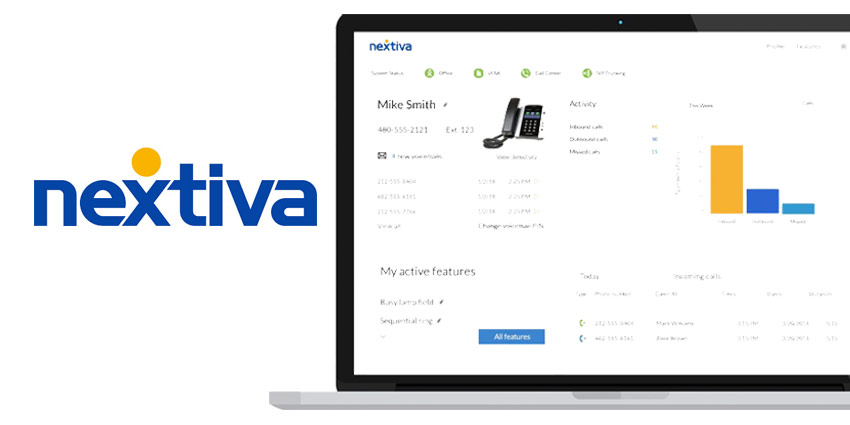
- The Mobile App: Use your personal smartphone to make business calls without revealing your private cell number.
- Physical IP Phones: High-tech desk phones from brands like Poly or Yealink that plug directly into your router.
Key Features That Drive Business Growth
Nextiva isn’t just a dialer; it’s a productivity engine. Here are the features that matter most in 2026:
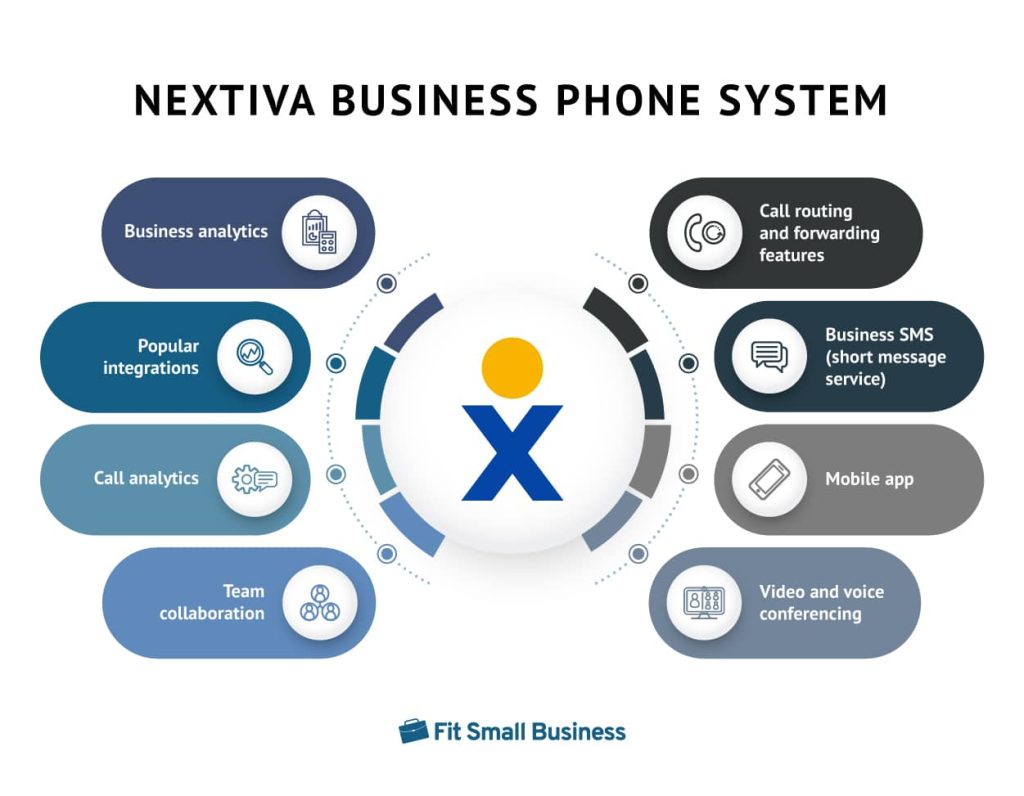
AI-Powered NextIQ
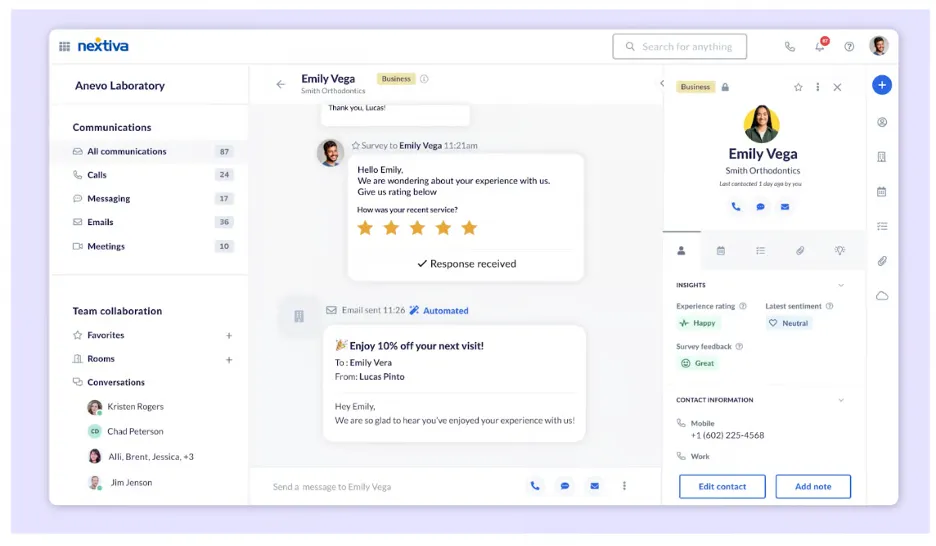
Nextiva’s built-in AI, NextIQ, acts like a silent assistant. It can automatically transcribe your calls in real-time, highlight the “sentiment” of a caller (are they happy or frustrated?), and even suggest the next best step for an employee to take during a support ticket.
Smart Call Routing (IVR)
Ever called a business and heard, “Press 1 for Sales, 2 for Support”? That’s an Interactive Voice Response (IVR) system. Nextiva allows you to build complex routing schedules so that customers are always connected to the person best equipped to help them, reducing wait times and frustration.
Seamless CRM Integration
One of Nextiva’s biggest “wins” is how it talks to other software. If a customer calls, their history from Salesforce, HubSpot, or Zendesk can automatically “pop up” on your screen. You know exactly who they are and what they bought before you even say “Hello.”
Nextiva Pricing & Plans (2026)
Nextiva offers tiered pricing to fit different business sizes. While they often run promotions, the general structure remains consistent:
| Plan | Best For | Key Focus |
| Digital | Small Online Brands | SMS, Email, and Social Media management. |
| Core | Standard Small Business | Professional Voice, Video, and Auto-attendants. |
| Engage | Growing Teams | Advanced CRM integrations and AI transcription. |
| Power | Contact Centers | Enterprise-level analytics and bulk messaging. |
Note: Pricing typically starts around $15 per user/month, depending on the size of your team and the length of your contract.
Get started today with only $15
The Pros and Cons: A Balanced View
The Pros
- Ease of Use: You can set up a new employee in under five minutes.
- Reliability: The 99.999% uptime is one of the best in the industry.
- Support: Nextiva is famous for its “Amazing Service” culture, offering 24/7 US-based support.
The Cons
- Internet Dependency: Since it’s a cloud system, if your internet goes down, your desk phones go down (though you can still use the mobile app via 5G).
- Feature Density: There are so many features that it can take a few weeks to learn how to use the advanced AI analytics effectively.
Frequently Asked Questions (FAQs)
1. Do I need special hardware to use Nextiva?
No. You can run your entire business from a laptop or a smartphone. However, if you prefer a physical desk phone, Nextiva sells and leases VoIP-compatible hardware.
2. Can I keep my current business phone number?
Absolutely. Nextiva handles the “porting” process for you, meaning you can bring your existing local or toll-free numbers over to their platform for free.
3. How does Nextiva handle remote teams?
Nextiva was built for the remote era. As long as your employees have an internet connection, they can log into the app from anywhere in the world and appear as if they are sitting in your main office.
4. Is the call quality as good as a landline?
In most cases, it’s actually better. Nextiva uses HD Voice technology, which offers a much wider range of sound frequencies than traditional analog lines, provided you have a stable internet connection.
Conclusion: Is Nextiva the Right Choice?
If you are still using a traditional landline or a basic cell phone for your business, switching to Nextiva will feel like upgrading from a flip-phone to a smartphone. It provides the professional image of a big corporation with the flexibility and price point that a small business needs.
By centralizing your calls, chats, and AI-driven insights, you stop “managing tools” and start focusing on your customers.
Ready to modernize your business communication?
Don’t let your team get bogged down by outdated tech. Experience the power of a truly unified platform today.
Visit Nextiva.com to Get Your Custom Quote and Start a Free Trial
Leave a Reply